

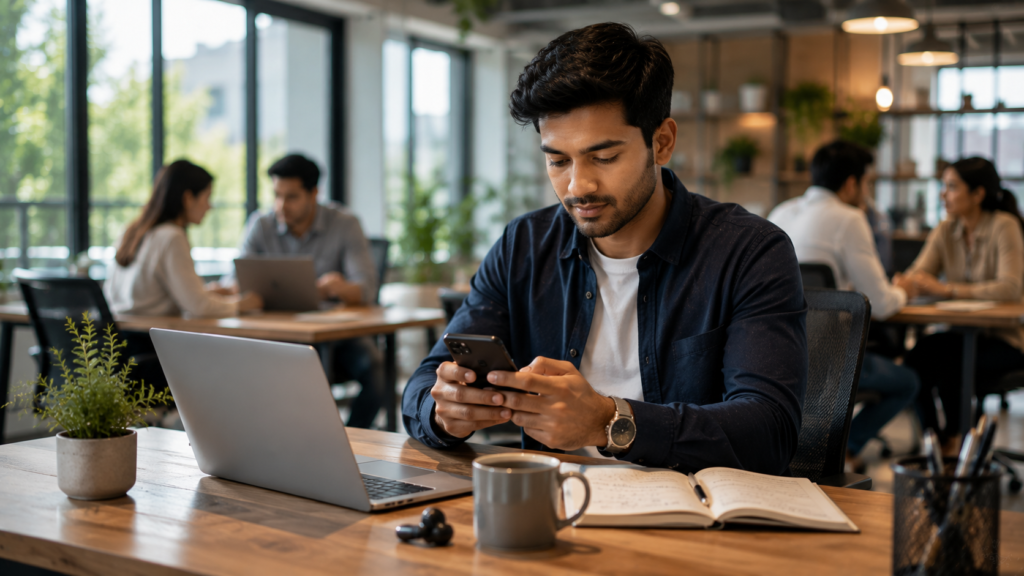
Mobile banking has transformed the way people manage their finances. Instead of visiting a bank branch, customers can check balances, transfer funds, pay bills, deposit checks, and monitor account activity directly from their smartphones or tablets. Setting up mobile banking is usually a straightforward process, but taking the right security precautions is essential to protect…
Mobile banking has transformed the way people manage their finances. Instead of visiting a bank branch, customers can check balances, transfer funds, pay bills, deposit checks, and monitor account activity directly from their smartphones or tablets.
Setting up mobile banking is usually a straightforward process, but taking the right security precautions is essential to protect your personal and financial information.
This guide explains how to set up mobile banking, the features you can expect, security best practices, and common mistakes to avoid.
What Is Mobile Banking?
Mobile banking is a secure service provided by banks and credit unions that allows customers to access and manage their accounts using a mobile application.
Depending on your financial institution, you may be able to:
- View account balances
- Review transaction history
- Transfer money between accounts
- Pay bills
- Deposit eligible checks using your phone
- Manage debit and credit cards
- Receive account alerts
- Locate nearby ATMs and branches
Available services vary by institution.
What You’ll Need Before You Start
Before setting up mobile banking, make sure you have:
- An active bank account
- A smartphone or tablet
- A stable internet connection
- Your online banking credentials (if already registered)
- A valid email address or mobile phone number for verification
If you haven’t enrolled in online banking, many institutions require you to create an online banking account first.
Step 1: Download the Official Mobile Banking App
Visit your device’s official app store and search for your bank’s official mobile banking application.
Before downloading:
- Verify the app publisher.
- Read recent reviews.
- Ensure the app matches your financial institution.
- Avoid downloading apps from unofficial sources.
Step 2: Install the App
After downloading, install the application and open it.
Many apps provide options such as:
- Sign In
- Enroll
- Register
- Create an Account
Choose the option that applies to your situation.
Step 3: Sign In or Register
Existing online banking users can usually sign in using their username and password.
New users may need to:
- Verify their identity
- Confirm account information
- Create login credentials
- Set security questions
Identity verification procedures differ by institution.
Step 4: Enable Multi-Factor Authentication
Many banks use multi-factor authentication (MFA) for added security.
Verification methods may include:
- One-time passcodes via text message
- Authentication apps
- Email verification
- Device verification
MFA helps protect your account even if your password is compromised.
Step 5: Set Up Biometric Login
If supported by your device and bank, enable:
- Fingerprint authentication
- Face recognition
Biometric login provides both convenience and additional account protection.
Step 6: Configure Security Alerts
Enable notifications for:
- Large purchases
- Login attempts
- Debit card transactions
- Bill payments
- Low account balances
- Password changes
Real-time alerts help you quickly identify suspicious activity.
Step 7: Explore Mobile Banking Features
Once your account is set up, familiarize yourself with available tools, including:
- Account transfers
- Bill payments
- Mobile check deposit
- Card lock or unlock features
- Spending insights
- Budgeting tools
- Savings goals
Features vary depending on the financial institution.
Mobile Banking Security Tips
To keep your account secure:
- Use a strong, unique password.
- Enable multi-factor authentication.
- Avoid using public Wi-Fi for banking.
- Keep your device’s operating system updated.
- Lock your phone with a PIN, fingerprint, or facial recognition.
- Never share verification codes.
- Log out if using a shared device.
Common Mistakes to Avoid
Avoid these common errors:
- Downloading unofficial banking apps
- Ignoring software updates
- Reusing passwords across multiple accounts
- Disabling security notifications
- Saving passwords on public devices
- Clicking suspicious links claiming to be from your bank
Benefits of Mobile Banking
Mobile banking offers several advantages:
- 24/7 account access
- Faster money transfers
- Convenient bill payments
- Real-time notifications
- Reduced need to visit a branch
- Better spending visibility
- Improved financial management
Final Thoughts
Setting up mobile banking is an important step toward convenient and secure financial management. By downloading the official banking app, enabling available security features, and regularly monitoring your account, you can enjoy the flexibility of banking from virtually anywhere while helping protect your personal information.
Remember to review your account activity regularly and stay alert for any unusual transactions.
Key Takeaways
- Mobile banking allows customers to manage accounts from their smartphones.
- Download only the official app provided by your financial institution.
- Enable multi-factor authentication and biometric login whenever available.
- Security alerts help detect suspicious activity quickly.
- Regular account monitoring supports safer digital banking.
Frequently Asked Questions
Is mobile banking safe?
Mobile banking can be secure when users follow recommended security practices, such as enabling multi-factor authentication and using strong passwords.
Do I need online banking before using mobile banking?
Some financial institutions require online banking enrollment before mobile banking registration, while others allow registration directly through the app.
Can I deposit checks using mobile banking?
Many banks support mobile check deposits through their apps, although availability and eligibility may vary.
Should I use public Wi-Fi for mobile banking?
Using public Wi-Fi for financial transactions is generally discouraged. A secure private network or mobile data connection is typically safer.
What should I do if I lose my phone?
Contact your bank immediately, lock or erase your device remotely if possible, and change your mobile banking password as soon as you can.
Comments
Share a useful question, experience or perspective. Keep the discussion respectful and relevant to the article.