

Online banking has transformed the way people manage their finances. From checking balances and paying bills to transferring money and depositing checks, digital banking offers convenience that was once unimaginable. Despite these benefits, many people still wonder whether online banking is truly safe. While no digital service can eliminate every risk, banks and financial institutions…
Online banking has transformed the way people manage their finances. From checking balances and paying bills to transferring money and depositing checks, digital banking offers convenience that was once unimaginable.
Despite these benefits, many people still wonder whether online banking is truly safe. While no digital service can eliminate every risk, banks and financial institutions use multiple layers of security to help protect customer accounts. Understanding these protections—and following good online safety practices—can significantly reduce your risk.
This guide explains how online banking security works, common cyber threats, and the best ways to protect your financial information.
How Safe Is Online Banking?
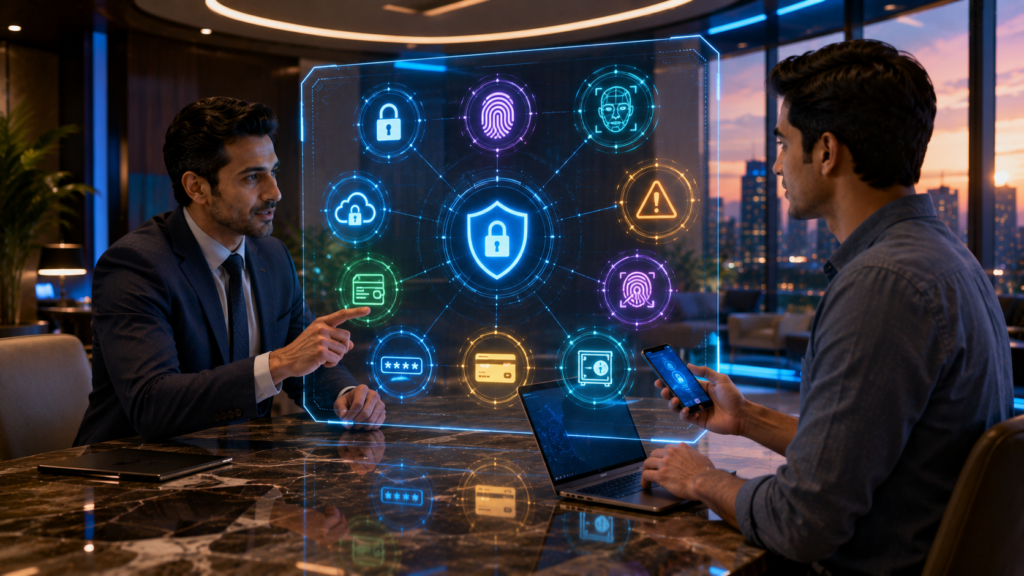
Modern online banking platforms use advanced security technologies to protect customer accounts and financial transactions.
Security measures commonly include:
- Data encryption
- Multi-factor authentication (MFA)
- Secure login systems
- Fraud monitoring
- Biometric authentication
- Real-time transaction alerts
These technologies help safeguard sensitive information during online banking sessions.
How Banks Protect Your Information
Financial institutions continuously invest in cybersecurity.
Common protection methods include:
Data Encryption
Encryption converts sensitive information into coded data while it’s transmitted over the internet.
Multi-Factor Authentication (MFA)
Customers verify their identity using two or more authentication methods, such as:
- Password
- One-time security code
- Authenticator app
- Biometric verification
Biometric Login
Many banking apps support:
- Fingerprint recognition
- Facial recognition
These methods provide an additional layer of account security.
Fraud Detection Systems
Banks monitor account activity to identify unusual transactions and may alert customers when suspicious activity is detected.
Common Online Banking Threats
Cybercriminals use various techniques to target financial accounts.
Common risks include:
- Phishing emails
- Fake banking websites
- SMS phishing (smishing)
- Malicious mobile apps
- Weak passwords
- Public Wi-Fi attacks
- Device malware
Recognizing these threats is an important step toward protecting your accounts.
Tips to Keep Your Online Banking Safe
Follow these best practices:
Use Strong Passwords
Create unique passwords that include:
- Uppercase letters
- Lowercase letters
- Numbers
- Special characters
Avoid reusing passwords across multiple accounts.
Enable Multi-Factor Authentication
Whenever available, activate MFA to strengthen account security.
Update Your Devices
Install the latest operating system and security updates for your smartphone, tablet, and computer.
Avoid Public Wi-Fi
Use secure private networks or trusted mobile data when accessing financial accounts.
Monitor Your Accounts Regularly
Review recent transactions and report any unfamiliar activity promptly.
Download Only Official Banking Apps
Install banking apps only from trusted app stores or your bank’s official website.
Warning Signs of Online Banking Fraud
Be cautious if you notice:
- Unexpected login alerts
- Unrecognized transactions
- Requests for passwords or PINs by email or text
- Poorly designed websites claiming to represent your bank
- Unexpected pop-ups requesting personal information
If something seems suspicious, contact your bank using official contact information.
Is Mobile Banking Safe?
Mobile banking apps generally use the same advanced security measures as online banking websites.
Many apps include:
- Biometric authentication
- Device encryption
- Secure session management
- Instant notifications
- Card controls
Keeping your mobile device updated and protected with a screen lock adds another layer of security.
What Should You Do If You Suspect Fraud?
If you believe your account has been compromised:
- Contact your bank immediately.
- Change your online banking password.
- Enable or review multi-factor authentication.
- Monitor recent transactions.
- Follow your bank’s fraud reporting process.
Acting quickly can help reduce potential losses.
Common Mistakes to Avoid
Avoid these common security errors:
- Using the same password for multiple accounts
- Ignoring software updates
- Sharing banking credentials
- Clicking links in unexpected emails or text messages
- Saving passwords on public devices
- Accessing banking services over unsecured networks
Good digital habits are one of the strongest defenses against cyber threats.
Final Thoughts
Online banking is generally considered a secure way to manage your finances when used responsibly. Banks employ sophisticated technologies such as encryption, fraud monitoring, and multi-factor authentication to help protect customer accounts.
However, personal security habits are equally important. Using strong passwords, enabling additional security features, avoiding suspicious links, and regularly monitoring your accounts can help keep your financial information safe in today’s digital world.
Key Takeaways
- Online banking platforms use advanced security technologies.
- Multi-factor authentication significantly improves account protection.
- Strong passwords and regular software updates reduce cyber risks.
- Avoid public Wi-Fi and phishing scams when accessing financial accounts.
- Monitor your accounts regularly for unusual activity.
Frequently Asked Questions
Is online banking generally safe?
Yes. Most banks use multiple security technologies such as encryption, authentication, and fraud monitoring to help protect customer accounts.
Should I use public Wi-Fi for online banking?
It’s generally safer to use a trusted private network or mobile data rather than unsecured public Wi-Fi.
What is multi-factor authentication?
Multi-factor authentication requires two or more forms of identity verification before granting account access.
Are banking apps secure?
Official banking apps typically include strong security features such as biometric login, encryption, and fraud detection.
What should I do if I notice unauthorized transactions?
Contact your bank immediately, change your password, and follow the institution’s fraud reporting procedures.
Comments
Share a useful question, experience or perspective. Keep the discussion respectful and relevant to the article.